
IRiS Assistant
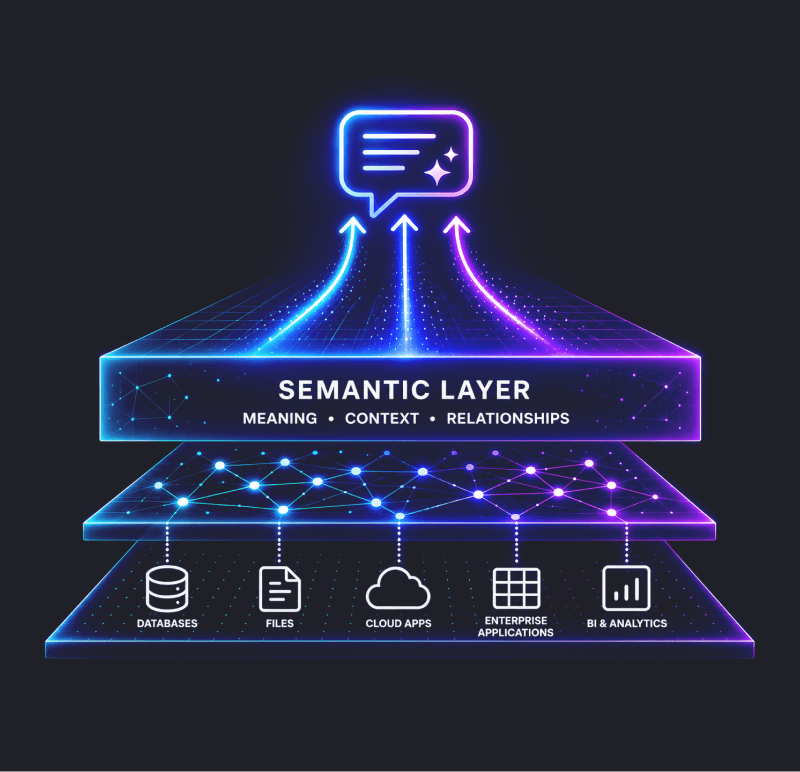
Meaning precedes intelligence, The design phase was always the hard part.
The IRiS Assistant guides your team through the design of an integrated data model for the silver layer of your Lakehouse, from source schema to production-ready metadata, in a single conversation. Less specialist knowledge required. Faster delivery, every time.
Beta deployments now live.
Self-hosted on Azure, connecting live to Snowflake and Microsoft Fabric.
How it works
Four phases. One conversation. Everything you need to ship.
The IRiS Assistant follows a structured, human-in-the-loop workflow. You stay in control at every decision point. IRiS handles the pattern recognition, the cross-referencing against your existing model, and the metadata generation.
Phase 1
Profile and Understand
Connect your source or paste a schema file. IRiS reads the metadata and profiles the data, then asks clarifying questions grounded in what it actually found, not generic templates, before any modelling begins.
Phase 2
Business Identifier Confirmation
IRiS proposes a candidate business identifier with visible reasoning. You accept, reject, or suggest an alternative. Business identifiers are confirmed through conversation, never guessed from column names.
Phase 3
Model Proposal
IRiS detects multi-active, parent-child, and hierarchical patterns, then presents a complete integration model with its reasoning shown so you can challenge it. You confirm before anything proceeds.
Phase 4
Output and Handoff
IRiS generates the metadata files your code generator needs, runs cross-validation automatically, and lands them in your repository ready for IRiS code generation. The design conversation and the implementation artefact are the same thing.
What makes it different
Built for structured lakehouse delivery. Not adapted from generic AI.
Off-the-shelf AI tools have no knowledge of IRiS standards, integration modelling guardrails, or your organisation's existing model. The IRiS Assistant embeds that expertise directly, making it a domain-specific assistant, not a generic one.
The ontology you build without knowing it
As IRiS captures definitions during the design conversation, it builds and maintains your project glossary, the same definitions your AI stack needs to reason correctly later.
Direct code generation handoff
IRiS produces the exact metadata files IRiS needs and lands them in your repository. No translation layer, no manual cleanup. The output is the implementation artefact itself.
Human in the loop, always
Business identifier decisions, definition approval, and model sign-off always require your confirmation. IRiS never auto-approves a model.
Model memory
Checks every new table against your existing model, business identifier definitions, and naming conventions. The model stays coherent as it grows. No rework, no drift.
Model memory
Checks every new table against your existing model, business identifier definitions, and naming conventions. The model stays coherent as it grows. No rework, no drift.
Data Vault can be quite intimidating. IRiS made it fast, scalable and relatively easy to configure. It would have been a lot more daunting without it.
Steven Mellare
Head of Data and Architecture, Resimac
Resimac is one of Australia's largest non-bank lenders. With IRiS code generation, they achieved 4.5x faster delivery and 65% less engineering effort.
Where judgement still lives
Acceleration, not replacement.
IRiS handles the repeatable, rule-based, time-consuming work: pattern recognition, consistency enforcement, and metadata generation. The parts that require architectural judgement stay with the people who have it. IRiS flags the decisions that need an expert, captures them as requirements, and keeps the design moving. This is not automation in the sense of removing judgement. It is acceleration in the sense of removing the mechanical work that surrounds it.
Getting started
Up and running in four steps.
The IRiS Assistant is delivered as a self-hosted deployment. Ignition provides the application and configuration.
You provision the server in your own environment, and your data never leaves it.
1. Register your interest
Join the IRiS community and email us to get started.
2. Provision a server on Azure
A standard Ubuntu VM is all you need. Your IT team can handle it, or follow our step-by-step guide.
3. Set up your AI provider
Choose Anthropic for simplicity, or Azure AI Foundry if your organisation requires Azure-hosted AI.
4. Deploy and sign in
A few commands to start the application, then sign in with the licensed email we provision for you.
Beta programme
Early access. A real product. Your feedback shapes what's next.
IRiS Assistant is a live product under active development. Beta participants get the complete core workflow today, along with direct input into the production release. Beta is currently sized for 5 to 6 concurrent users per deployment, with full scalability testing planned before the production release. We aim to respond to all beta feedback within one business day.
Access model
Self-hosted, invitation only
Platform support
Microsoft Fabric, Snowflake, (Databricks coming soon)
Hosting
Azure, customer-managed
AI provider
Anthropic or Azure AI Foundry
On the roadmap to production
Databricks connectivity
Live connection alongside Snowflake and Microsoft Fabric.
Column exclusion during intake
Drop out-of-scope columns before modelling begins.
Post-modelling edit mode
Revise a proposed model without re-running the full flow.
Registry import
Bulk import existing models so teams can onboard without starting from scratch.
Registry versus deployed comparison
Spot drift, gaps, and unmodelled changes at a glance.
Microsoft Copilot integration
The long-term target, surfacing IRiS Assistant inside the Microsoft 365 ecosystem.
Let’s get started!
Meaning precedes intelligence. Build the right model at the pace the business requires
IRiS addresses the build phase. The IRiS Assistant addresses the design phase. Together they make model-first Lakehouse Delivery achievable at the pace modern programmes demand.